

Buying a vSeeBox is easier when you understand the differences between the V6 Pro, V6 Max, and V6 Plus. All three models run Android 14 and include 4GB RAM, but they are designed for different users.
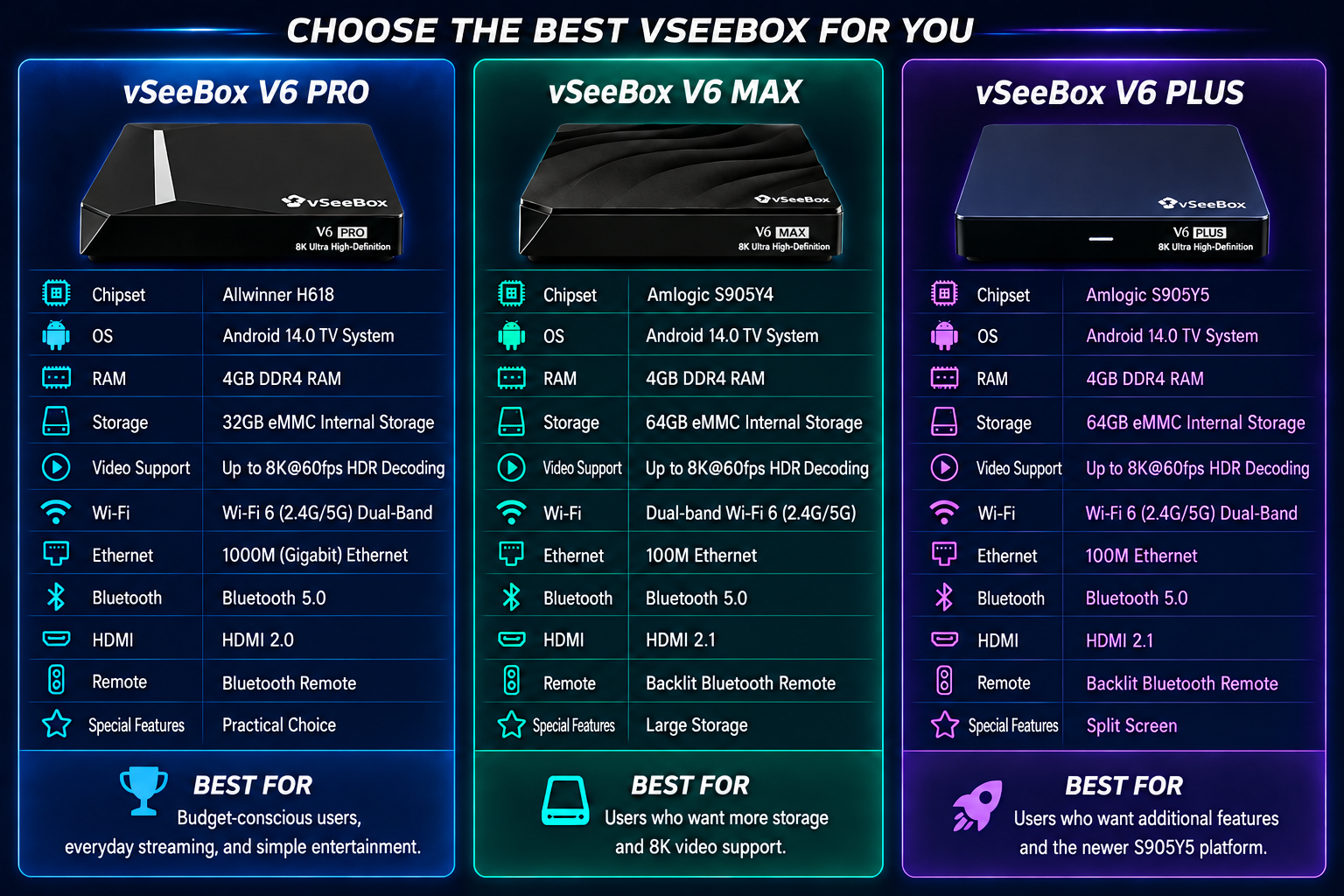
Quick Comparison
| Feature | V6 Pro | V6 Max | V6 Plus |
|---|---|---|---|
| Chipset | Allwinner H618 | Amlogic S905Y4 | Amlogic S905Y5 |
| RAM | 4GB | 4GB | 4GB |
| Storage | 32GB | 64GB | 64GB |
| OS | Android 14 | Android 14 | Android 14 |
| Video | Up to 8K@60fps HDR Decoding | Up to 8K@60fps HDR Decoding | Up to 8K@60fps HDR Decoding |
| Wi-Fi | Wi-Fi 6 | Dual-band Wi-Fi | Wi-Fi 6 |
| Bluetooth | 5.0 | 5.0 | 5.0 |
| Remote | Bluetooth | Backlit Bluetooth | Backlit Bluetooth |
| Special Feature | Practical Choice | Large Storage | Split Screen |
V6 Pro – Best Value Choice
The V6 Pro is ideal for users who want a smooth Android TV experience at a more affordable price.
Best for:
✔ First-time users
✔ Everyday streaming
✔ Users who do not need large storage
✔ Families looking for value
Key Advantages:
- Android 14
- 4GB RAM + 32GB Storage
- Wi-Fi 6 (2.4G/5G) Dual-Band
- Gigabit Ethernet
- Up to 8K@60fps HDR Decoding
If you mainly watch TV, movies, and use common apps, the V6 Pro is more than enough.
V6 Max – Best Balance of Performance and Storage
The V6 Max upgrades storage from 32GB to 64GB and supports 8K@60fps.
Best for:
✔ Users who install more apps
✔ Larger households
✔ Users wanting extra storage
Key Advantages:
- 4GB DDR4 RAM + 64GB eMMC Storage
- Up to 8K@60fps HDR Decoding
- Backlit Bluetooth Remote
- Android 14
The V6 Max offers a strong balance between price, storage, and performance.
V6 Plus – Best Premium Model
The V6 Plus uses the newer S905Y5 chip and adds split-screen support.
Best for:
✔ Power users
✔ Sports fans
✔ Multi-tasking users
✔ Users wanting the newest hardware
Key Advantages:
- S905Y5 Processor
- 64GB Storage
- HDMI 2.1
- Split Screen
- 8K@60fps
If you want additional features such as split-screen functionality and HDMI 2.1, the V6 Plus is a strong choice.
Which One Should You Buy?
Choose V6 Pro if:
You want the best value and use common streaming apps.
Choose V6 Max if:
You want more storage and stronger overall performance.
Choose V6 Plus if:
You want additional features, split-screen functionality, and the newer S905Y5 platform.
Final Recommendation
| User Type | Recommended Model |
|---|---|
| Budget & Everyday Use | V6 Pro |
| Balanced Performance | V6 Max |
| Premium Features | V6 Plus |
In simple terms:
V6 Pro = Practical Choice
V6 Max = Balanced Choice
V6 Plus = Feature-Rich Choice
PS:save on your vSeeBox purchase with code BLACKGAOBEST at checkout
Frequently Asked Questions
Question:Any requirement for using Vseebox
Answer:You need a TV or monitor with an HDMI port, a stable Wi-Fi or Ethernet connection, and a power supply. For smoother streaming, we recommend a stable internet connection of at least 8 Mbps.
Question:Is the V6 Max better than the V6 Pro?
Answer:The V6 Max offers 64GB of storage compared with 32GB on the V6 Pro, making it a better option for users who want more storage.
Question:Which vSeeBox should I buy in 2026?
Answer:Choose the V6 Pro for everyday value, the V6 Max for additional storage and balanced performance, or the V6 Plus for more advanced features.