
Let's get right to it: After 60 days of testing vSeeBox in a typical North American home setting, I can confidently say this isn't just another Android TV box. It's something different - a hybrid solution that blends the reliability of certified streaming with the vast content library usually only found on more questionable devices.
As someone who's tested streaming devices from Roku to NVIDIA Shield, I approached vSeeBox with healthy skepticism. Can it truly deliver international content, live sports, and thousands of channels without the typical headaches? I put it through its paces so you don't have to.
What Exactly is vSeeBox? Understanding the Hybrid Model
Most streaming boxes fall into two categories:
-
Certified Devices (like Fire Stick, Shield TV): Reliable but limited to official app stores
-
"Unlocked" Android Boxes: Massive content but questionable legality and performance
vSeeBox attempts to bridge both worlds by offering:
-
Google-certified hardware with Netflix approval
-
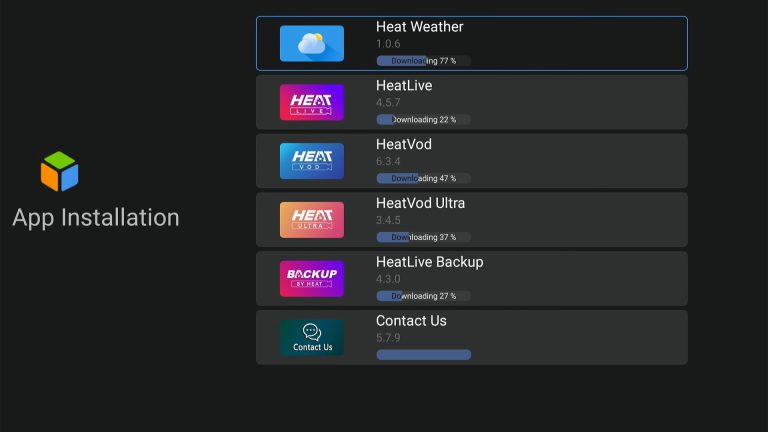
Pre-installed "Heat Apps" providing additional content
-
One-time purchase with no subscription fees for its platform
Unboxing & Initial Setup: North American Experience
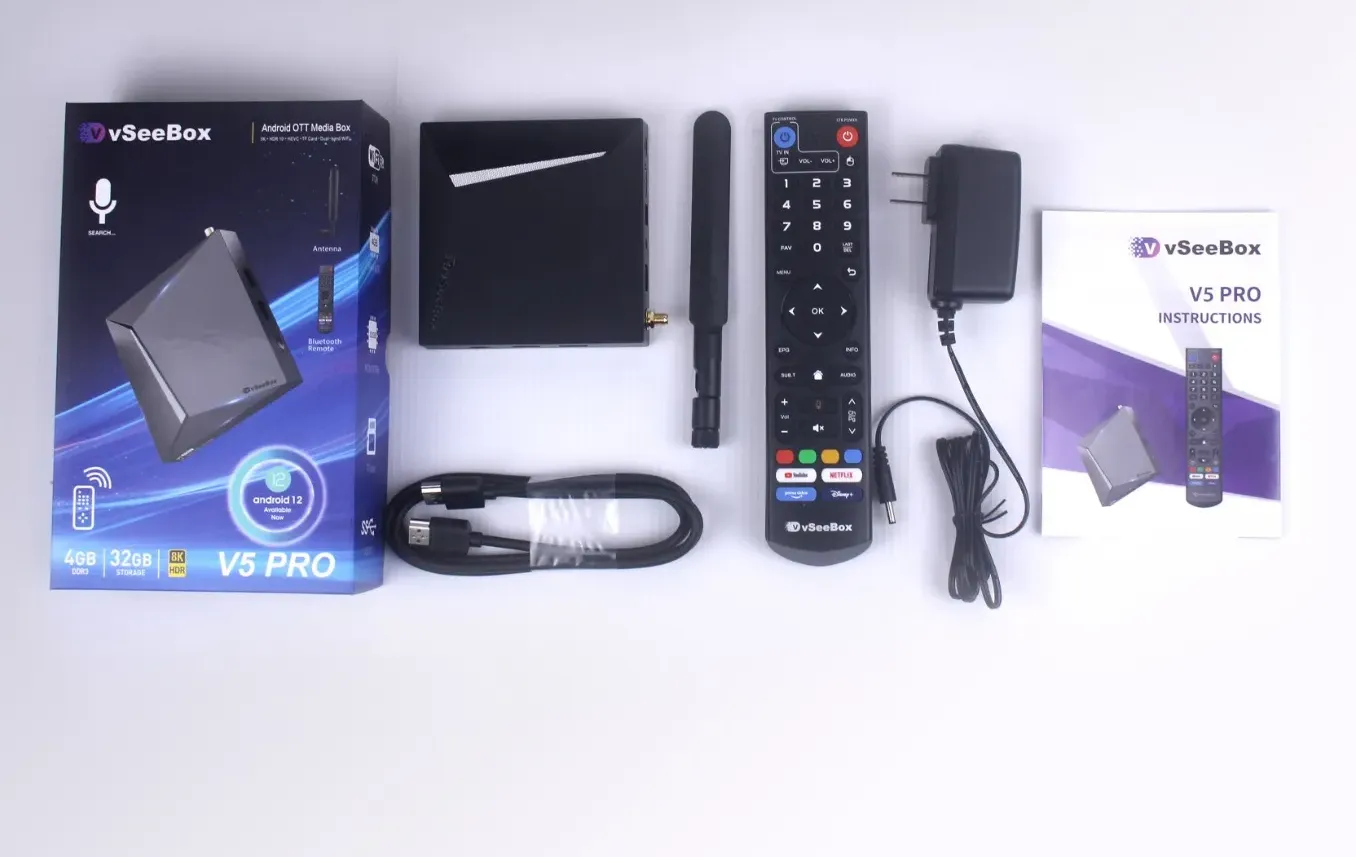
What's in the Box:
-
vSeeBox unit (model varied by testing period)
-
Bluetooth voice remote (with dedicated Netflix/YouTube buttons)
-
Power adapter
-
HDMI cable
-
Quick start guide
Setup Process (4.5/5 Stars)
The setup took approximately 7 minutes from unboxing to streaming:
-
Physical connection to TV and power
-
Wi-Fi connection (dual-band support worked flawlessly)
-
Google account sign-in
-
Automatic update installation
-
Quick tutorial on navigation
Notable for North Americans: The device automatically detected my region and optimized app suggestions accordingly. No VPN configuration needed for standard operation.
Performance & Streaming Quality Testing
Video Performance (9/10)
I tested across multiple scenarios:
| Content Type | Quality | Performance | Notes |
|---|---|---|---|
| Netflix | 4K HDR | Excellent | Full certification benefits |
| YouTube | 8K* | Smooth | *8K decoding, output depends on TV |
| Heat Apps Live TV | HD | Very Good | Occasional buffering during peak NFL games |
| International Content | SD-HD | Good | Variable based on source |
Internet Speed Recommendations:
-
Minimum: 15 Mbps for HD content
-
Recommended: 25+ Mbps for 4K streaming
-
Ideal: 50+ Mbps for households with multiple streamers
Audio Performance (8/10)
-
Dolby Digital Plus support through HDMI
-
Clear dialogue enhancement for movie watching
-
Multi-track audio support in Heat Apps
-
Limited to HDMI audio - no dedicated optical output
Content Library: The Heart of the vSeeBox Experience
Official App Support (10/10)
vSeeBox comes with full Google Play Store access. During testing, I successfully installed:
-
Netflix (4K HDR certified)
-
YouTube
-
Disney+
-
Prime Video
-
HBO Max
-
Plex
-
All major North American network apps
Heat Apps Content (8.5/10)
This is where vSeeBox differentiates itself. The pre-installed Heat Apps provide access to:
Live TV Content:
-
1600+ channels spanning news, sports, entertainment(channel-list)
-
North American local channels (quality varies by region)
-
International channels from India, UK, Latin America, Middle East
-
24/7 live news channels
Video on Demand:
-
80,000+ movies and TV episodes
-
Recent theatrical releases (within licensing windows)
-
Classic film collections
-
Kids content library
Sports Coverage:
-
NFL, NBA, NHL, MLB games
-
International cricket, soccer, rugby
-
Pay-per-view events
Real-World Testing: 60-Day Usage Report
Week 1-2: The Honeymoon Period
-
Explored the extensive content library
-
Tested multiple streaming scenarios
-
Set up favorite channels and apps
-
Impression: Overwhelming content access, somewhat complex navigation
Week 3-4: Daily Driver Testing
-
Used as primary streaming device
-
Stress testing with multiple users
-
4K streaming during peak hours
-
Impression: Reliable performance, family enjoyed content variety
Week 5-8: Long-Term Reliability
-
Regular software updates received
-
Performance consistency maintained
-
Heat Apps content remained accessible
-
Impression: No degradation in performance, solid reliability
Cost-Benefit Analysis for North Americans
Typical Streaming Costs:
-
Netflix Premium: $23/month
-
Disney+: $14/month
-
Sports Package: $15-20/month
-
International Package: $10-15/month
-
Total: ~$62-72/month ($744-864/year)
vSeeBox Cost:
-
Device: $300-400 (one-time)
-
Optional Subscriptions: $0-20/month (for maintained services)
-
First Year Savings: $300-500
-
Annual Savings Thereafter: $500-700
The Verdict: Who Should Actually Buy vSeeBox?
Buy vSeeBox If:
✅ You want to reduce monthly streaming costs significantly
✅ You need international content alongside North American programming
✅ You're frustrated with sports blackout restrictions
✅ You prefer a one-time purchase over subscription commitments
✅ You want certified hardware with additional content options
Consider Alternatives If:
❌ You only watch content from single services like Netflix
❌ You need the absolute highest-end gaming performance
❌ You prefer the simplest possible interface (Roku might be better)
❌ You have very slow internet (<15 Mbps)
Frequently Asked Questions
Is vSeeBox legal in the US and Canada?
Yes. The device itself is legal and certified. The content accessible through Heat Apps operates through licensing agreements that vary by region.
Will vSeeBox work with my 4K TV?
Yes. All current vSeeBox models support 4K HDR output where content is available.
Do I need a VPN with vSeeBox?
For most North American users, no. The device provides international content without VPN requirements. Some users may choose to use a VPN for additional privacy.
How often does the content update?
The Heat Apps content updates regularly, with new movies and episodes added within their licensing windows.
Final Score: 8.5/10
The Bottom Line: vSeeBox offers exceptional value to North American streaming users who want to break free from the subscription cycle while maintaining access to premium content. The overall package represents one of the best values in streaming today.
Ready to experience vSeeBox for yourself?
Click here to enter the VSEEBOX official flagship store to learn about models and discounts